

Header tags SEO strategies play a crucial role in how search engines understand your content and how users consume it. While they may look like simple formatting elements, heading tags directly influence content structure, readability, accessibility, and keyword relevance.
When implemented correctly, heading tags create a logical hierarchy that guides both search engines and readers through your page. They help Google interpret topical relevance, support featured snippet eligibility, and improve user engagement signals such as time on page and scroll depth.
The SEO checklist that finds what is actually holding you back
Twenty seven checks covering technical SEO, on page structure, and link strategy. The same list our team runs before quoting any new client.
Yet many websites either misuse header tags or treat them purely as styling tools. This often results in poor structure, weak keyword signals, and missed ranking opportunities.
In this guide, we will break down:
- What header tags are
- How they impact SEO performance
- The correct way to structure H1, H2, and H3 tags
- Whether multiple H1 tags affect rankings
- A practical checklist to optimize header tags for SEO
By the end, you will have a clear, actionable framework to strengthen your on-page SEO through proper heading structure.
What Are Header Tags?
To understand header tags SEO, you first need clarity on what header tags actually are and how they function in HTML.
Header tags, also known as HTML heading tags, are structural elements used to define headings and subheadings within a webpage. They range from H1 to H6, with H1 representing the most important heading and H6 the least.
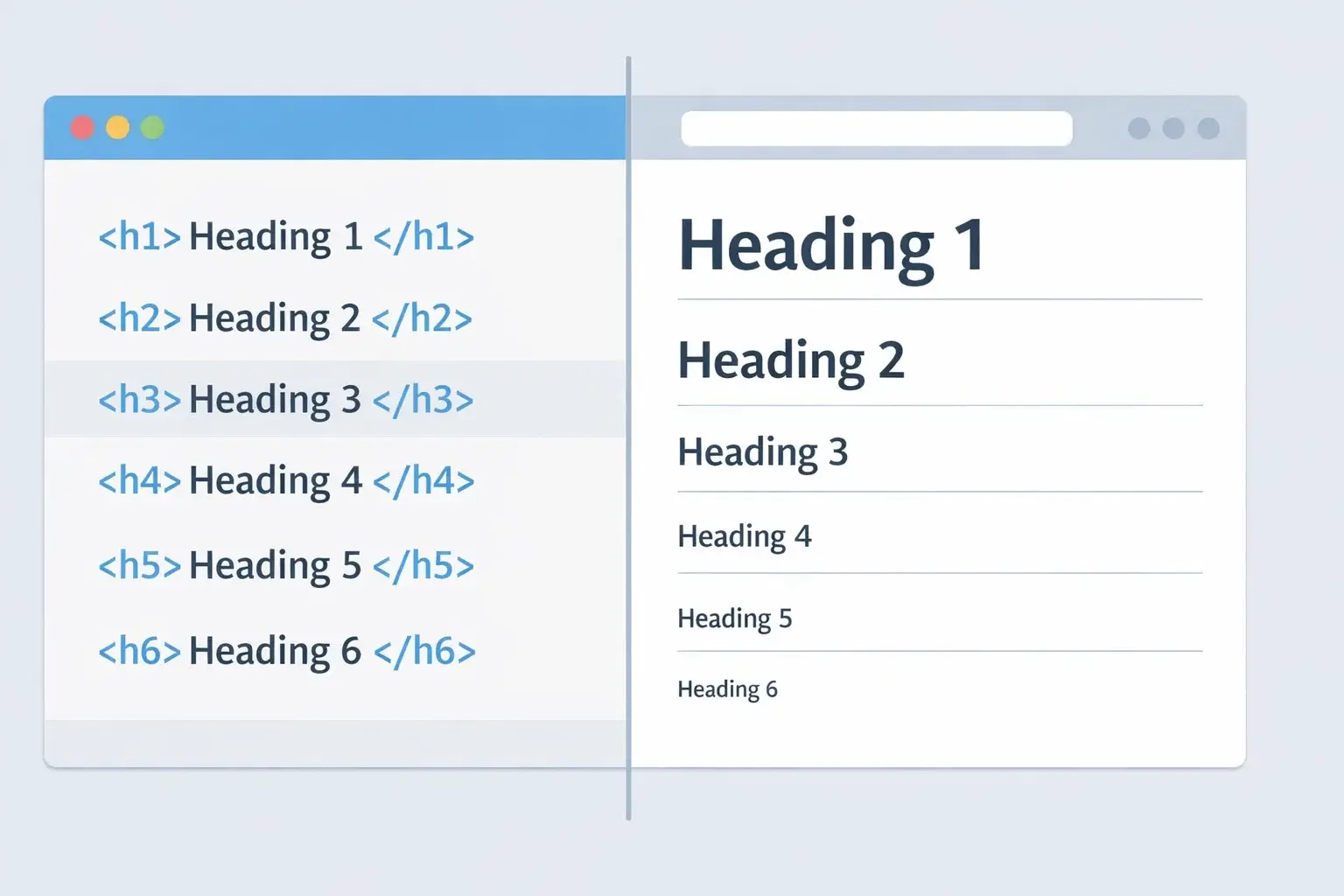
In HTML, they look like this:
- <h1> Main page heading
- <h2> Major section heading
- <h3> Subsection under H2
- <h4> to <h6> Deeper sub-level headings
These tags are not just visual formatting tools. They communicate hierarchy and structure to search engines and assistive technologies.
Why Structure Matters
Search engines scan content to understand its topic and context. Heading tags SEO works because headers signal:
- The primary subject of the page
- The major themes within the content
- The relationship between sections
Think of header tags as a table of contents embedded within your page. They break long content into meaningful segments and make it easier for both algorithms and users to navigate.
Header Tags vs Styling
One of the most common mistakes is using heading tags purely to make text larger or bold. That approach confuses structure and weakens SEO signals.
Instead, styling should be controlled with CSS. Header tags should reflect logical content hierarchy, not design preferences.
Accessibility and HTML Heading Tags SEO
Beyond rankings, proper heading tags improve accessibility. Screen readers rely on heading structure to help visually impaired users navigate a page. A clean hierarchy improves usability and reduces friction.
When discussing what are header tags, the key takeaway is simple:
They are structural markers that organize content logically, improve readability, and support search engine understanding.
Header Tags Importance for SEO
Understanding header tags importance for SEO helps you see why heading structure goes beyond formatting. While Google has clarified that headings alone do not guarantee rankings, they remain a strong contextual signal within on-page optimization.
When used correctly, heading tags SEO improves three critical areas: crawlability, relevance, and user experience.
1. Search Engine Understanding and Topical Relevance
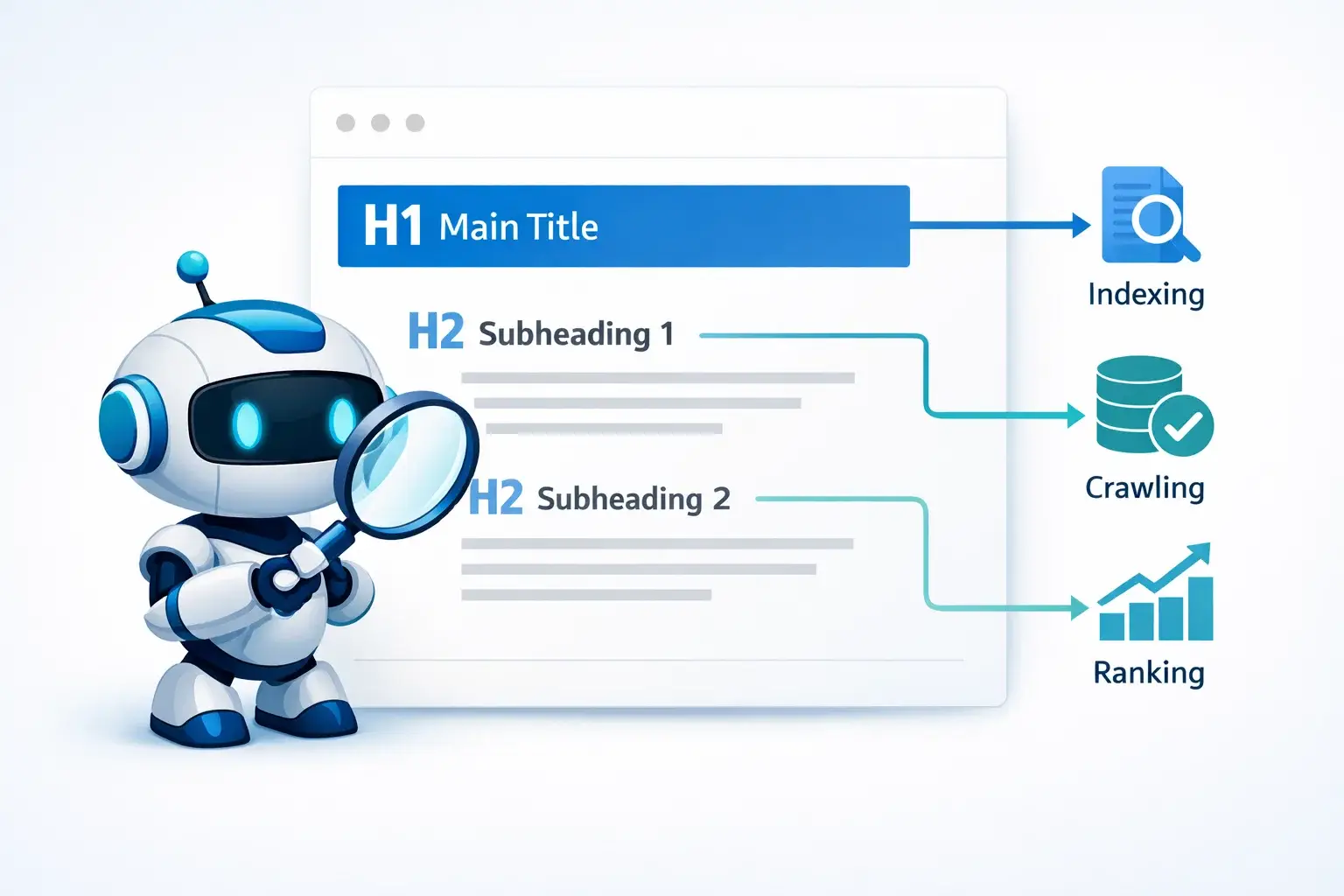
Search engines scan headings first to understand what a page covers. Your H1 tag SEO acts as the main topic indicator, while H2 and H3 tags break that topic into logical subthemes.
For example:
- H1: Header Tags SEO
- H2: How to Use Header Tags for SEO
- H3: Optimize Header Tags for SEO With Keywords
This hierarchy reinforces keyword relevance without stuffing. It signals semantic relationships between sections, which strengthens topical authority.
Proper HTML heading tags SEO usage helps search engines map content clusters and determine whether your page satisfies search intent.
2. Improved User Experience and Engagement
Header tags directly affect readability. Large blocks of text discourage users from staying on a page. Structured headings:
- Make content scannable
- Reduce bounce rates
- Increase time on page
- Improve scroll depth
Engagement metrics indirectly influence rankings. A page that users find easy to navigate typically performs better than one with poor structure.
This is where H2 tags SEO becomes especially valuable. H2 sections act as visual anchors that guide readers through your content.
3. Featured Snippet and AI Visibility Potential
Well-structured headings improve eligibility for featured snippets. Google often extracts H2 sections and turns them into:
- Paragraph snippets
- List snippets
- FAQ expansions
Clear header structure also supports AI search systems that summarize content. Organized headings help algorithms extract concise answers.
4. Accessibility and Structured Navigation
Search engines prioritize user-first experiences. Proper heading structure supports accessibility tools like screen readers.
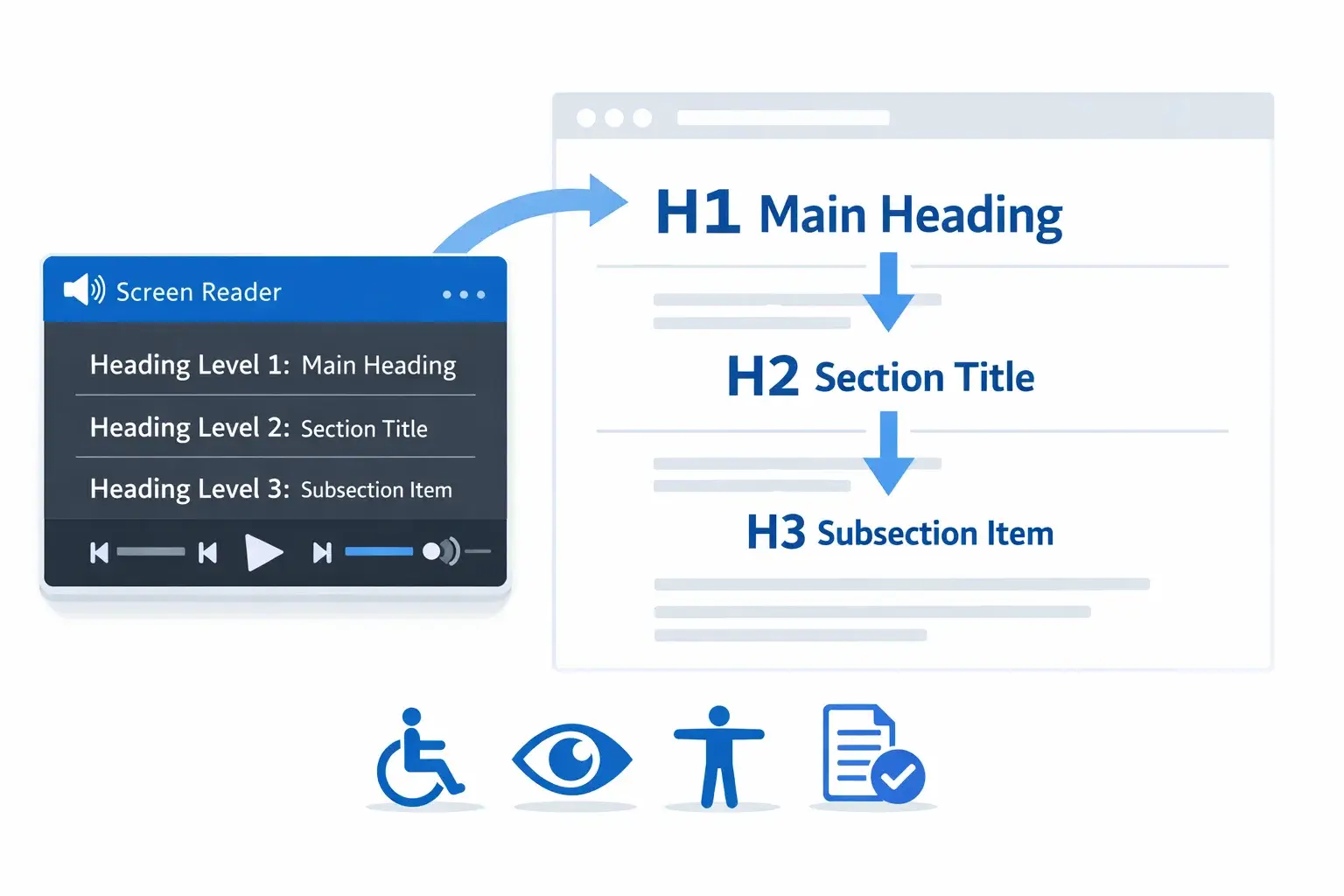
When headings are logical and sequential, assistive technologies can interpret page structure correctly. This strengthens usability signals and aligns with modern search quality standards.
5. Reinforcing Keyword Strategy Without Over-Optimization
Headings allow you to include primary and secondary keywords naturally. Instead of repeating keywords in body text, placing them strategically in H2 and H3 tags reinforces context.
However, optimization must remain natural. Overloading headings with keywords weakens clarity and can reduce trust signals.
In short, header tags SEO matters because headings shape how search engines interpret content and how users consume it. They are structural ranking enhancers, not magic ranking hacks.
H1 Tag SEO Explained
The H1 tag SEO role is foundational in any page structure. It acts as the primary heading and clearly defines what the page is about. In most cases, the H1 is the first visible headline users see, and it should directly reflect the main topic.
From an optimization standpoint, the H1 tag supports:
- Primary keyword placement
- Clear topical focus
- Improved content hierarchy
- Better crawl interpretation
If your page is about header tags SEO, your H1 should clearly state that topic. It should not be vague, overly clever, or stuffed with multiple variations.
What Makes a Strong H1 Tag?
A strong H1 tag should:
- Include the primary keyword naturally
- Be clear and descriptive
- Match user search intent
- Stay concise and readable
For example:
✔ Header Tags SEO: Your Hidden Ranking Boosters
✘ Ultimate Guide to Online Success and Digital Domination
The second example lacks keyword clarity and search relevance.
Should You Use Only One H1 Tag?
Traditionally, SEO best practice recommended using only one H1 tag per page. The reason was simple: it maintained a clean content hierarchy.
Today, HTML5 technically allows multiple H1 tags SEO structures within different section elements. Google has confirmed that multiple H1 tags do not automatically cause ranking penalties.
However, that does not mean using multiple H1 tags is ideal.
From a clarity and structure perspective, a single H1 per page remains the safest and most effective approach. It:
- Keeps hierarchy clean
- Avoids topical confusion
- Improves accessibility
- Aligns with header tags best practices
Using multiple H1 tags without a strong structural reason can dilute topical focus.
H1 Placement and Common Mistakes
Here are common H1 tag mistakes to avoid:
- Using logo text as H1
- Hiding the H1 with CSS
- Repeating H1 text inside multiple elements
- Skipping H1 entirely
- Using H1 purely for styling
The H1 should appear once, near the top of the content area, and clearly define the page topic.
Relationship Between H1 and Title Tag
The H1 tag and the meta title are not the same thing, though they often look similar.
- The title tag appears in search results.
- The H1 appears on the webpage itself.
They can be similar but should not be mechanically duplicated every time. Slight variation helps avoid redundancy while maintaining clarity.
When structured properly, the H1 strengthens keyword targeting and establishes a strong foundation for heading tags SEO performance.
H2 Tags SEO and Proper Heading Hierarchy
If the H1 defines the main topic, H2 tags SEO defines the structure beneath it. H2 headings break your content into major sections, making it easier for search engines and users to understand how ideas are organized.
Think of H2 tags as chapters within a book. Each one supports the central theme introduced in the H1.
For example:
- H1: Header Tags SEO
- H2: What Are Header Tags?
- H2: Header Tags Importance for SEO
- H2: H1 Tag SEO Explained
- H2: How to Use Header Tags for SEO
Each H2 expands on a related subtopic while staying aligned with the primary keyword.
Why H2 Tags Matter for SEO
From a search perspective, H2 headings:
- Reinforce semantic relevance
- Help search engines identify content sections
- Improve snippet eligibility
- Enhance readability signals
When users scan a page, they typically look at headings first. If your H2 tags clearly answer common queries, users are more likely to stay and engage.
Proper heading tags SEO improves scannability, which directly impacts user behavior metrics.
How to Structure H2, H3, and H4 Tags Correctly
A strong hierarchy follows logical nesting:
- H1: Main topic
- H2: Major section
- H3: Subsection of that section
- H4: Supporting detail
- H3: Subsection of that section
- H2: Major section
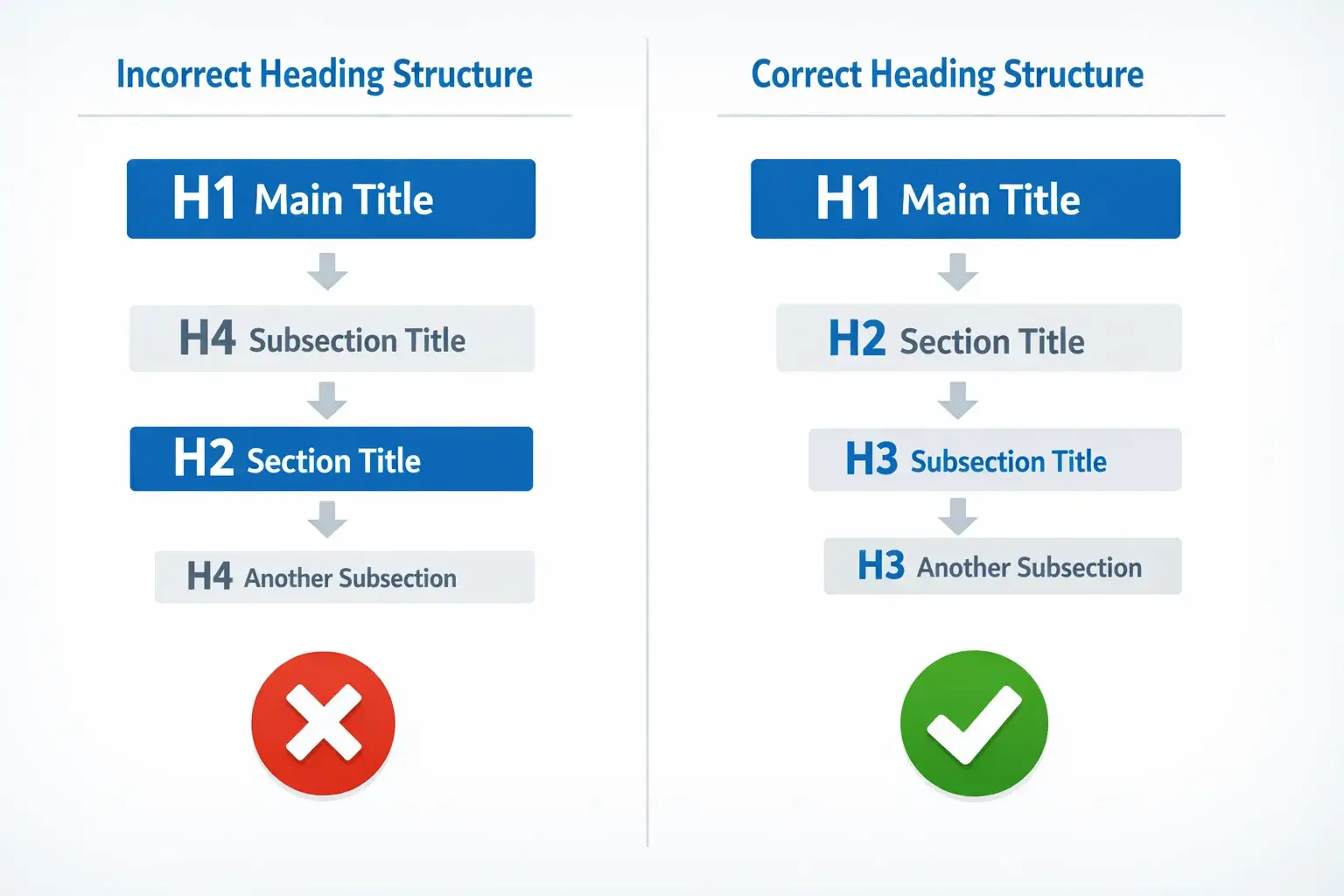
You should never jump from H1 directly to H4 without passing through H2 and H3. Skipping levels weakens structure and may confuse accessibility tools.
Example of correct hierarchy:
H1: Header Tags SEO
→ H2: How to Use Header Tags for SEO
→ H3: Optimize Header Tags for SEO With Keywords
→ H3: Header Tags Best Practices
→ H2: Common Header Tag Mistakes
This structure signals relationships clearly.
Avoid Overusing H2 Tags
There is no strict limit on how many H2 tags you can use. However, each H2 should represent a meaningful section.
Avoid:
- Adding H2 for minor design breaks
- Using identical H2 headings repeatedly
- Stuffing keywords into every H2
Instead, focus on clarity. Each H2 should serve a logical content purpose.
Supporting Keyword Placement in H2 and H3
Subheadings are excellent places to include related phrases such as:
- how to use header tags for SEO
- optimize header tags for SEO
- header tags best practices
These variations strengthen topical depth while keeping content natural.
Strategic placement across H2 and H3 headings reinforces relevance without appearing manipulative.
When structured properly, H2 and subheadings transform a long article into an organized, easy-to-navigate resource. That structure supports both ranking potential and user experience.
How to Use Header Tags for SEO
Now that we understand structure and hierarchy, let’s break down how to use header tags for SEO in a practical, actionable way.
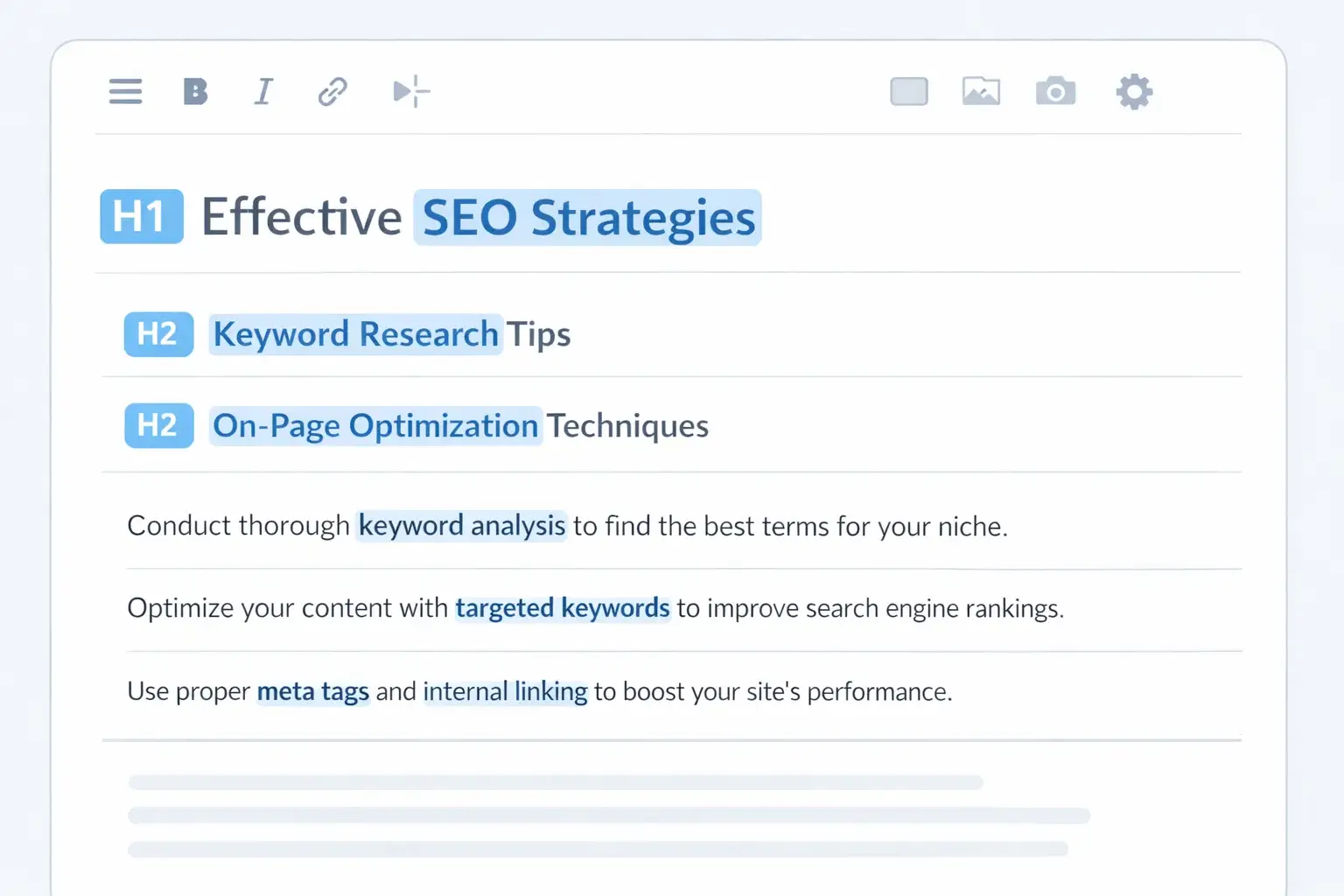
Many websites include headings, but few truly optimize header tags for SEO. The difference lies in strategy, not formatting.
Below is a step-by-step framework you can apply immediately.
Step 1: Define One Clear Primary Topic (H1)
Start with a single, focused H1 that reflects the main search intent.
Your competitors might be outranking you for a fixable reason
Most sites lose the majority of their potential traffic to issues that take days, not months, to fix. Our free audit tells you what those are.
No commitment, just a clear picture of where you stand.
Your H1 should:
- Include the primary keyword naturally
- Clearly describe the page topic
- Avoid unnecessary keyword stacking
For example:
✔ Header Tags SEO: Your Hidden Ranking Boosters
✘ Header Tags SEO Guide Header Tags SEO Tips Best Header Tags SEO
Clarity beats repetition every time.
Step 2: Map Subtopics Before Writing
Before drafting content, outline your structure using H2 sections.
Ask yourself:
- What questions does the user want answered?
- What subtopics support the main topic?
- Which related keywords can be addressed naturally?
For heading tags SEO, logical H2 sections may include:
- What Are Header Tags?
- Header Tags Importance for SEO
- H1 Tag SEO Explained
- Header Tags Best Practices
Planning structure first prevents random or disconnected headings.
Step 3: Use H2 Tags for Major Sections
Each H2 should represent a distinct section of content.
Best practices:
- Keep H2 headings concise
- Make them descriptive
- Align them with search intent
This improves both crawlability and user scanning behavior.
Step 4: Add H3 Tags to Support Depth
H3 headings expand on specific points within an H2 section.
For example:
H2: Header Tags Best Practices
→ H3: Avoid Skipping Heading Levels
→ H3: Include Keywords Naturally
→ H3: Keep Headings Clear and Descriptive
H3 tags improve clarity without overwhelming readers.
Step 5: Optimize Header Tags for SEO With Keywords
Strategic keyword placement in headings reinforces topical relevance.
Here’s how to do it correctly:
- Include the primary keyword in the H1
- Use related keywords in H2 and H3
- Avoid repeating identical phrases across all headings
- Maintain natural language flow
Good example:
H2: Header Tags Best Practices
H3: How to Optimize Header Tags for SEO Without Overstuffing
Poor example:
H2: Header Tags SEO
H3: Header Tags SEO Guide
H3: Header Tags SEO Tips
H3: Header Tags SEO Strategy
Over-optimization reduces readability and may weaken trust signals.
Over-optimization reduces readability and may weaken trust signals.
Step 6: Keep Hierarchy Logical
Do not jump from H1 to H4. Maintain sequential structure.
Correct:
H1 → H2 → H3
Incorrect:
H1 → H4
Logical hierarchy supports accessibility tools and reinforces structured understanding for search engines.
Step 7: Balance SEO and Readability
Remember that header tags exist for humans first.
If headings feel robotic or repetitive, revise them. Clear, conversational headings often perform better than keyword-heavy ones.
Strong header tags best practices focus on clarity, hierarchy, and natural optimization.
When implemented correctly, heading tags act as structural signals that strengthen on-page SEO without looking manipulative.
Header Tags Best Practices Checklist
To fully leverage header tags SEO, you need a consistent system. The goal is not just to add headings, but to structure them strategically.
Below is a practical checklist you can use for every page.
1. Use One Clear H1 Per Page
While modern HTML allows flexibility, a single H1 remains the safest and most effective structure.
Your H1 should:
- Represent the core topic
- Include the primary keyword naturally
- Appear near the top of the page
This strengthens H1 tag SEO clarity and prevents topical dilution.
2. Follow Logical Hierarchy
Maintain structured progression:
- H1 for the main topic
- H2 for major sections
- H3 for subsections
- H4 only when necessary
Avoid skipping heading levels. A clean hierarchy supports both HTML heading tags SEO and accessibility compliance.
3. Include Keywords Naturally
Headings are strong contextual signals, but they must remain readable.
Best practice:
- Place the primary keyword in the H1
- Use related variations in H2 and H3
- Avoid repeating the same phrase in every heading
This approach helps optimize header tags for SEO without over-optimization.
4. Write for Clarity, Not Algorithms
Headings should:
- Be concise
- Answer user intent
- Reflect real search queries
If a heading feels unnatural when read aloud, it likely needs revision.
Strong heading tags SEO balances relevance and readability.
5. Keep Headings Descriptive
Avoid vague headings like:
- Introduction
- Overview
- Details
Instead, use descriptive headings such as:
- How to Use Header Tags for SEO
- Header Tags Importance for SEO
Descriptive headings improve snippet potential and user engagement.
6. Avoid Using Headings for Styling
Never use H2 or H3 tags just to increase font size.
Visual design should be controlled with CSS. Structural tags should reflect content hierarchy.
Using headings purely for styling weakens semantic clarity.
7. Maintain Consistency Across Pages
Consistency strengthens site-wide structure. For example:
- Blog posts follow one H1
- Product pages follow one H1
- Category pages follow one H1
This predictable structure improves scalability and supports long-term SEO health.
8. Audit for Common Mistakes
Regularly check for:
- Multiple accidental H1 tags
- Empty headings
- Duplicate headings
- Keyword stuffing in H2 tags
Routine audits protect your header tags SEO performance.
A structured checklist ensures that headings enhance both ranking potential and user experience.
Examples of Good and Bad Header Tag Structures
Understanding theory is helpful. Seeing structure in action makes it clearer. Below are practical comparisons to show how header tags SEO works in real scenarios.
Example 1: Poor Header Structure
H1: Digital Marketing
H3: SEO
H2: What Is SEO?
H4: Keyword Research
Problems:
- Heading levels are skipped
- Structure is inconsistent
- Main topic is too broad
- Subsections do not follow hierarchy
This structure confuses both users and search engines. Jumping from H1 to H3 and back to H2 weakens logical flow. Accessibility tools may also struggle to interpret content order.
Example 2: Over-Optimized Header Structure
H1: Header Tags SEO Guide
H2: Header Tags SEO Tips
H3: Header Tags SEO Strategy
H3: Header Tags SEO Ranking
H3: Header Tags SEO Optimization
Problems:
- Keyword repetition in every heading
- Poor readability
- Artificial phrasing
- Low user clarity
While keywords appear frequently, this structure feels forced. Overusing identical phrases can reduce trust and harm user engagement.
Example 3: Properly Optimized Header Structure
H1: Header Tags SEO: Your Hidden Ranking Boosters
H2: What Are Header Tags?
H3: HTML Heading Tags Explained
H3: Why Structure Matters
H2: Header Tags Importance for SEO
H3: Search Engine Understanding
H3: User Experience Benefits
H2: How to Use Header Tags for SEO
H3: Optimize Header Tags for SEO With Keywords
H3: Header Tags Best Practices
H1: Digital Marketing
H3: SEO
H2: What Is SEO?
H4: Keyword Research
Problems:
- Heading levels are skipped
- Structure is inconsistent
- Main topic is too broad
- Subsections do not follow hierarchy
This structure confuses both users and search engines. Jumping from H1 to H3 and back to H2 weakens logical flow. Accessibility tools may also struggle to interpret content order.
Example 2: Over-Optimized Header Structure
H1: Header Tags SEO Guide
H2: Header Tags SEO Tips
H3: Header Tags SEO Strategy
H3: Header Tags SEO Ranking
H3: Header Tags SEO Optimization
Problems:
- Keyword repetition in every heading
- Poor readability
- Artificial phrasing
- Low user clarity
While keywords appear frequently, this structure feels forced. Overusing identical phrases can reduce trust and harm user engagement.
Example 3: Properly Optimized Header Structure
H1: Header Tags SEO: Your Hidden Ranking Boosters
H2: What Are Header Tags?
H3: HTML Heading Tags Explained
H3: Why Structure Matters
H2: Header Tags Importance for SEO
H3: Search Engine Understanding
H3: User Experience Benefits
H2: How to Use Header Tags for SEO
H3: Optimize Header Tags for SEO With Keywords
H3: Header Tags Best Practices
Why this works:
- Logical progression
- Clear hierarchy
- Natural keyword placement
- Readable, descriptive headings
- No level skipping
This structure aligns with both heading tags SEO strategy and usability standards.
Example 4: Blog vs Product Page Structure
Different page types require slightly different heading strategies.
Blog Page Example
H1: Header Tags SEO
H2: What Are Header Tags?
H2: H1 Tag SEO Explained
H2: Header Tags Best Practices
Product Page Example
H1: Enterprise SEO Software
H2: Key Features
H2: Pricing Plans
H2: Customer Reviews
Both follow a clean hierarchy, but the intent differs. Blogs educate. Product pages convert.
Key Takeaways
A strong header structure:
- Uses one clear H1
- Maintains logical order
- Includes keywords naturally
- Avoids repetition
- Supports accessibility
When you optimize header tags for SEO with structure and clarity in mind, you create a foundation that strengthens the entire page.
FAQ – Header Tags SEO Questions Answered
Below are common questions people ask about header tags SEO, along with clear, practical answers.
Can I Use Multiple H1 Tags for SEO?
Technically, yes. HTML5 allows multiple H1 tags within different section elements. Google has also stated that multiple H1 tags will not automatically hurt rankings.
However, from a structure and clarity standpoint, using a single H1 per page remains best practice. It keeps hierarchy clean and prevents topical dilution.
For most websites, one well-optimized H1 delivers stronger H1 tag SEO consistency.
Does Google Care About Heading Hierarchy?
Google’s systems understand content even if headings are imperfect. That said, logical hierarchy still matters for clarity and accessibility.
Proper HTML heading tags SEO structure:
• Improves crawl interpretation
• Enhances snippet eligibility
• Supports screen readers
• Strengthens user experience
Even if hierarchy alone is not a ranking factor, it supports overall optimization.
How Many H2 Tags Should a Page Have?
There is no fixed limit. A page can have multiple H2 tags as long as each represents a meaningful section.
Quality matters more than quantity. Each H2 should:
• Support the main topic
• Add value
• Improve structure
Strong H2 tags SEO strategy focuses on relevance, not volume.
Are Header Tags a Direct Ranking Factor?
Header tags are not a standalone ranking switch. Instead, they are structural signals that reinforce context.
They contribute indirectly by:
• Improving readability
• Enhancing engagement
• Clarifying topical relevance
• Supporting structured content
In combination with strong content and technical SEO, headings amplify performance.
Ready to turn this into an actual growth plan?
Our team builds strategies across SEO, paid advertising, AI search visibility, and website performance, matched to your budget and your goals, not a generic package.
- A real thirty minute call, not a sales pitch
- Recommendations specific to your business
- A short list of what to fix first
Conclusion – Turning Header Tags Into Ranking Assets
Header tags SEO is often underestimated because headings look simple on the surface. In reality, they are structural signals that shape how search engines interpret your content and how users navigate it.
When implemented correctly, heading tags:
- Establish clear topical focus
- Improve crawl understanding
- Enhance readability and engagement
- Support accessibility standards
- Reinforce keyword strategy naturally
The key is not to treat headings as decorative elements. They are architectural components of your page.
A strong structure follows this framework:
- One focused H1
- Clear, descriptive H2 sections
- Logical H3 support
- Natural keyword placement
- No skipped levels
- No forced repetition
If your content is valuable but poorly structured, it may never reach its ranking potential. By optimizing header tags for SEO, you strengthen the foundation of every page you publish.
Audit your current pages. Check for hierarchy gaps, keyword stuffing, and duplicated headings. Small structural improvements can lead to measurable gains in clarity and performance.
Header tags may not be a shortcut to rankings, but when used strategically, they become reliable ranking enhancers.
Let's turn this into results for your business.
SEO, paid advertising, AI search visibility, website design, and conversion optimization, all under one roof, all pointed at the same goal: revenue.